Every name, the same shape.
A tiny Mac menu-bar app that turns whatever you’re naming — a Save As box, a Finder rename, a new folder — into a clean, consistent descriptor_tag name, with a tag set for each app you work in.
Overview
Project folders fill up with Untitled 3, final FINAL, and guitar (Strong)_2. Name Logic keeps one convention everywhere: a short lowercase descriptor, then one or more tags from your own list — xx_solo_take.logicx. A second raw solo take? xx_solo_take_v2.logicx.
Press your shortcut while you’re naming something and a small panel opens right beside the name box. Type or dictate the descriptor, pick your tags, press Return, and the finished name is typed in for you.

What it does
Works in any name box
Save As dialogs, Finder renames, new folders — wherever you’re typing a name, the panel opens right next to it and fills it in.
One-step Finder rename
Just select a file or folder and press the shortcut. Name Logic starts the rename, and Save finishes it.
A tag set for each app
Logic Pro, DaVinci Resolve, Finder, or anything you add. The right set opens automatically from the file type or the app you’re in, and you can switch with one click.
Stack tags, number variants
Pick as many tags as fit, always written in the same order. In Finder, a name that’s already taken gets _v2, _v3 automatically — lowercase and hyphenated, with the extension kept.
Dictation-friendly
Speak the descriptor with a dictation app like Wispr Flow, or paste it in. Copy, paste, and undo all work as normal.
Stays out of the way
Lives in the menu bar with no Dock icon, sits idle until you call it, and can start at login.
How it works
Click into a Save As box or a Finder rename — or just select a file in Finder.
⌃⌥⌘N by default, changeable to anything. Or click the tag in the menu bar.
Type a few words, pick one or more tags. The finished name previews as you go.
Press Return and the name is typed straight into the box you were in.
Your sets, your tags
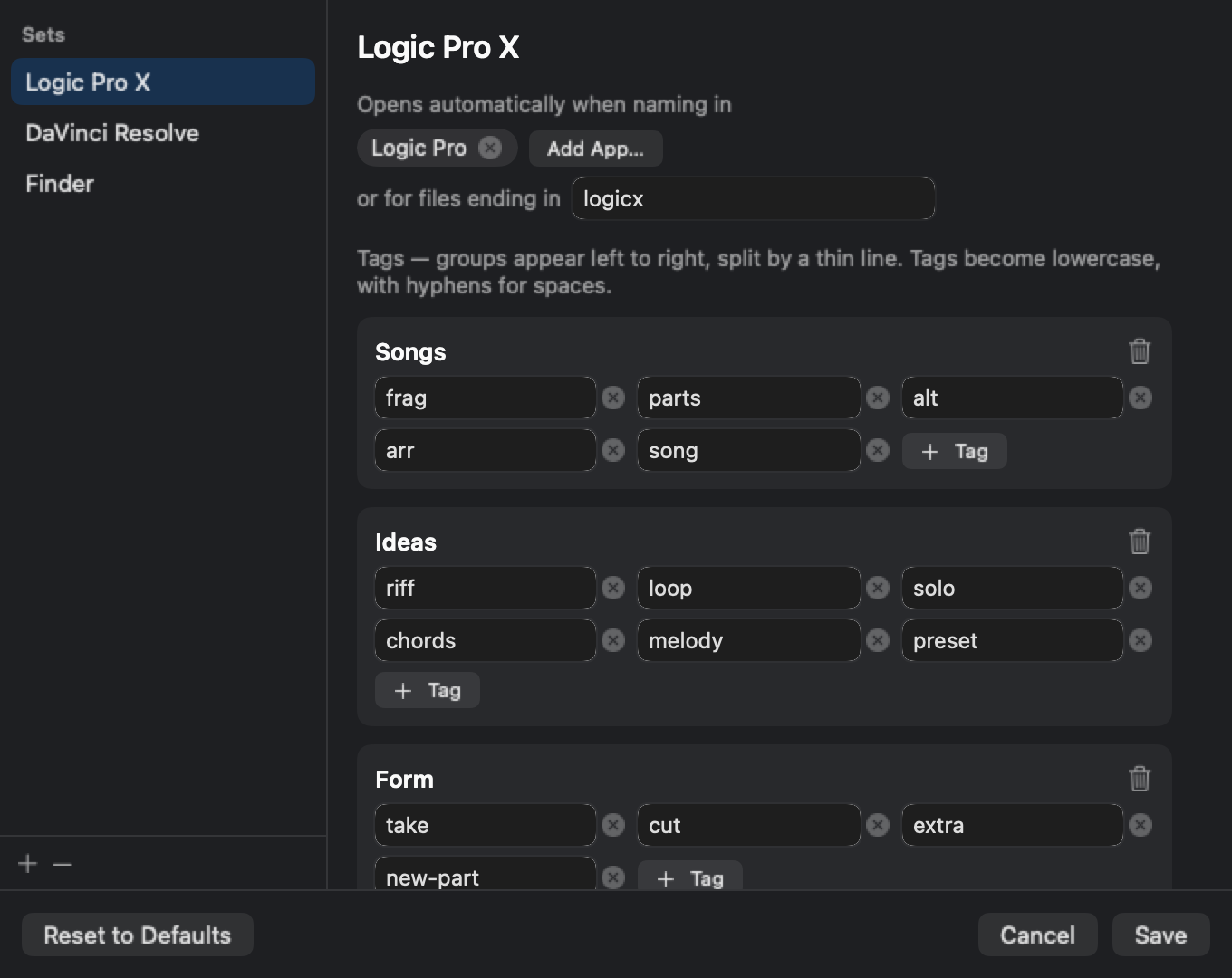
Every set has its own tags, split into groups — say, song stages and idea types for Logic, edit stages for Resolve, and general tags for everything else in Finder.
Add, rename, or delete sets and tags from the menu bar. Link a set to the apps and file types it belongs to, and Name Logic picks it for you.
Runs entirely on your Mac. No account, no network access, no tracking. It needs macOS’s Accessibility permission only so it can type names into the box you’re editing, and asks to control Finder only to check which names are already taken in a folder.
Download
Drag Name Logic into Applications and open it — it appears as a tag icon in your menu bar. It isn’t yet notarized through the Mac App Store, so if macOS blocks it on first launch, go to System Settings → Privacy & Security and click “Open Anyway.” The first time you use it, macOS will also ask you to allow it under Accessibility, and the first time you rename in Finder, to let it control Finder (for automatic numbering).
Developed by ›lukesomething.com