Find the files you’ve already seen.
A native Mac app that finds and removes true duplicate files — photos, videos, documents, and creative project bundles — fast, safely, and without the guesswork.
Overview
Most duplicate finders stop at “same filename” or “same size.” Déjà View verifies actual file content, understands the specific file types creative professionals use, and gives full visibility before anything gets deleted — so cleaning up storage never means crossing your fingers.
What it does
True content matching
Verifies actual file contents using cryptographic checksums, not just names or sizes. Zero false positives — a match means the files are genuinely identical.
Multi-folder scanning
Scan as many folders as needed in a single pass, including across external drives.
Smart bundle detection
Logic Pro, Final Cut, DaVinci Resolve, Sketch, Blender, and other project bundles are treated as whole files — never torn apart into thousands of false internal matches.
Similar Photos detection
Catches visually identical photos that aren’t byte-identical — the same shot rotated, re-saved, or recompressed by another app — using on-device visual matching, with an orientation-aware system for choosing which copy to keep.
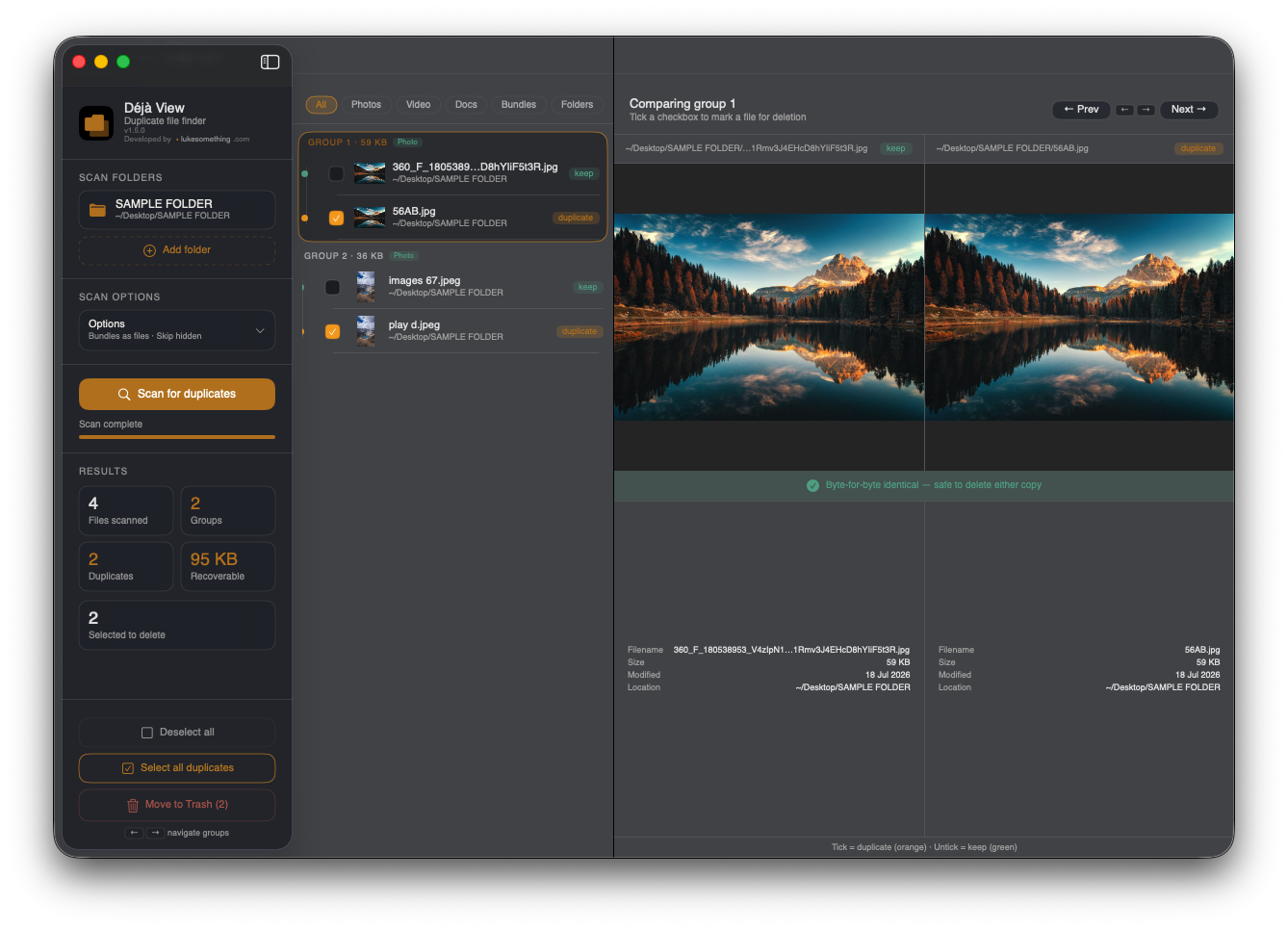
Side-by-side preview
Compare files visually before deleting anything. Every duplicate group shows both files at once.
Folder-level view
See which folders are carrying the most duplicate weight, so bulk cleanup decisions are easy to make.
How it works
Add one or several folders to scan: Photos, Downloads, project drives, anywhere.
Watch live progress, then browse duplicate groups side-by-side with full previews.
One click selects duplicates for you, always keeping the best version.
Move duplicates to the Trash in one click — safely, and always reversible.
Download
Déjà View isn’t yet notarized through the Mac App Store. On first launch, if macOS blocks the app, go to System Settings → Privacy & Security and click “Open Anyway.”
Developed by ›lukesomething.com